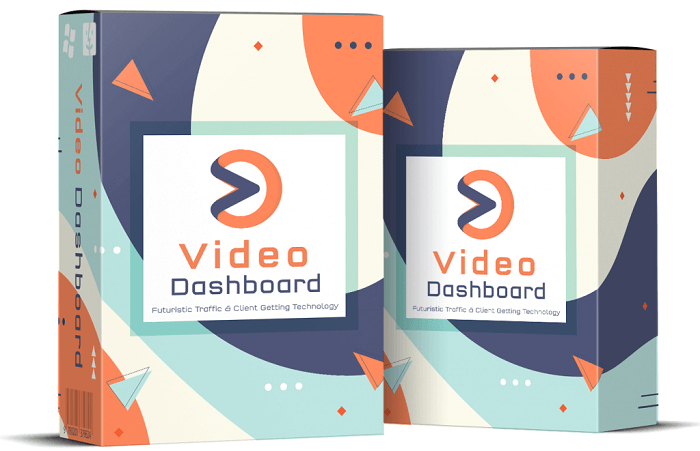
Video Dashboard Review On Sold Out Video Creation Tool
Video Dashboard Review and Look at this tool that is in the club
In this review I am going to look at video dashboard. We have had this tool quite some time under a white labeling license, however I just discovered it recently. So far for what it does it is fantastic. It was originally to include trending aspects that seriously there are already enough tools for this. Where video dashboard excels is the templates that are built into this tool. And to my surprise we have the upgraded version with lots of templates to choose from.
With Video Dashboard, you can leverage rapidly growing (and established) platforms like TikTok, Medium, Reddit, Pinterest, Facebook, Twitter, YouTube, Vimeo, LinkedIn and Dailymotion from ONE ‘all-inclusive” dashboard!No other app in the market leverages new platforms (like TikTok, Medium, Reddit and all the other social platforms included) so this is a first to market opportunity you don’t want to miss out on!Unlike other video apps that only include one feature, Video Dashboard comes loaded with several never-seen-before groundbreaking technologies packed into ONE!
Content Calendar & Done-For-You Video Templates Inside Viral Dashboard
Ok so let’s get this out of the way. The Content calendar is outdated, but the actual national whatever it is day, is still valid. The days are different so this is not an updated feature, and you will need to make a couple of adjustments if you plan to use it.
Now, the video templates. This is where this tool shines. There are templates for every social media platform that are all sized and ready to go.
With ZERO training I was able to jump right in and create great looking story style videos and render them. The rendering time was pretty fast, and I would assume there are not a ton of people using this app at this time.
Now, I did try to do a YouTube size video, and swapped out the images, and it did not look too good. But it was my first try so I will continue to play around with this tool
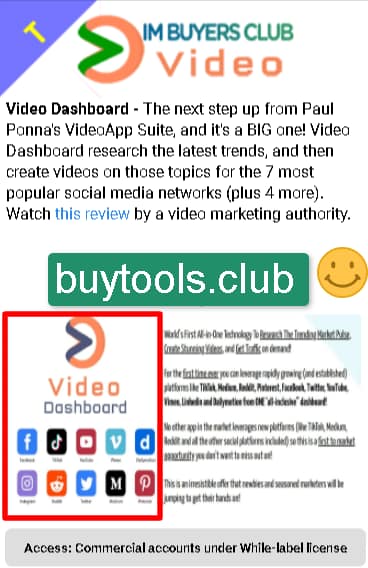
Enter your text here…With the Video Dashboard ready-made templates, can create mind-blowing videos for ANY social platform within minutes using ready-made ‘fully customizable’ video templates. You can change the text, images, and backgrounds, add your own logos and call-to-actions. Whatever you need, you can do it with our built-in versatile video creation dashboard.Create astonishing videos for social platforms such as Facebook, TikTok, Instagram, YouTube, Twitter, Pinterest, LinkedIn or upload your own videos and spice them up!
Video Dashboard Built In Social Sharing Feature
So inside video dashboard you have the ability to direct share to many platforms. The only 2 you must semi-automate are TikTok and Instagram. However, there is a built-in app where you can access the videos from your phone, and then upload them to both TikTok and Instagram, so that is not a big deal really.
The only downside to this is that you can only upload to one social site at a time. So I will not be using that aspect, as we have Viral Dashboard in the club, and it will handle all the posting for me.
That is the way it is often with digital marketing tools, they do some things well, and other things not so great. But for creating story style videos, Video dashboard is my go-to tool now.
Pleasant Surprise is access to vidRemaker App:
This is inside the application and it is 3 cool video tools all in one. As of this writing I have not tried all 3 yet, but here is what they do.
Video Repurposer: Convert any video to square videos, meme videos and all the popular social media video formats that are proven to get more engagement, clicks and sales!Create extra-long videos with no length limits. Spice up old and boring videos with text effects, lower third, emojis and more cool features.
Merge Videos:Merge multiple smaller videos created with the app or your old videos and create a long video.Create sparkling new long videos from short royalty free clips. Repurpose videos from YouTube and create a unique video.
Video Speed Changer:Speed up or slow down videos to make them more captivating. Shorten long videos into smaller videos without losing quality. Attention span is limited, so if you have a longer video this is an effortless way to make videos shorter.
So that is the overview of Video Dashboard that is inside the club. You get Video Dashboard for free as part of your membership to the Club.